
L2: Bash Mash#
Objectives#
Review Bash essentials
Using bash on the command line
Creating and running bash scripts
Review/Learn bash shell commands / operations
Overview#
This lab walks through setting up the developer environment we will use throughout the
semester, followed a short lab reviewing and developing bash skills.
Context#
In this course, we will frequently run code and commands on a raspberry pi.
An efficient way to work on a remote computer like the pis is to setup a remote bash
connection using ssh.
That way, you can write code on a preferred computer, while running code and other commands directly on the raspberry pi as you work.
Using ssh effectively requires getting comfortable with the CLI shell – in this course,
our shell will be bash.
Part of getting comfortable with bash is simply getting in the habit of using it for
useful things.
Deliverables#
Documenting your progress: Progress on
bandit-instructions.txtcommitted to thelab-0branch of this repositoryA completed
bandit-instructions.txtup to and including Level 7 is worth 100%.Some marks will be docked for missing levels/information in the
.txtFeedback will be given directly in the
lab-0pull request.
In-class demo: Use
lessto preview progress documenting thebandit-instructions.txtThe
bandit-instructions.txtdoes not have to be complete to get full marks for the in-person demo.
Deadline#
In class demos: Friday Jan 31 (beginning of class)
bandit-instructions.txtprogress committed: Friday Jan 31 (end of day)
Using bash: complete the Bandit game#
To get us warmed up with using ssh to connect to a remote computer, and using the
various bash tools at our disposal, the bandit game is great practise.
For this lab, we will aim to complete up to Level 8.
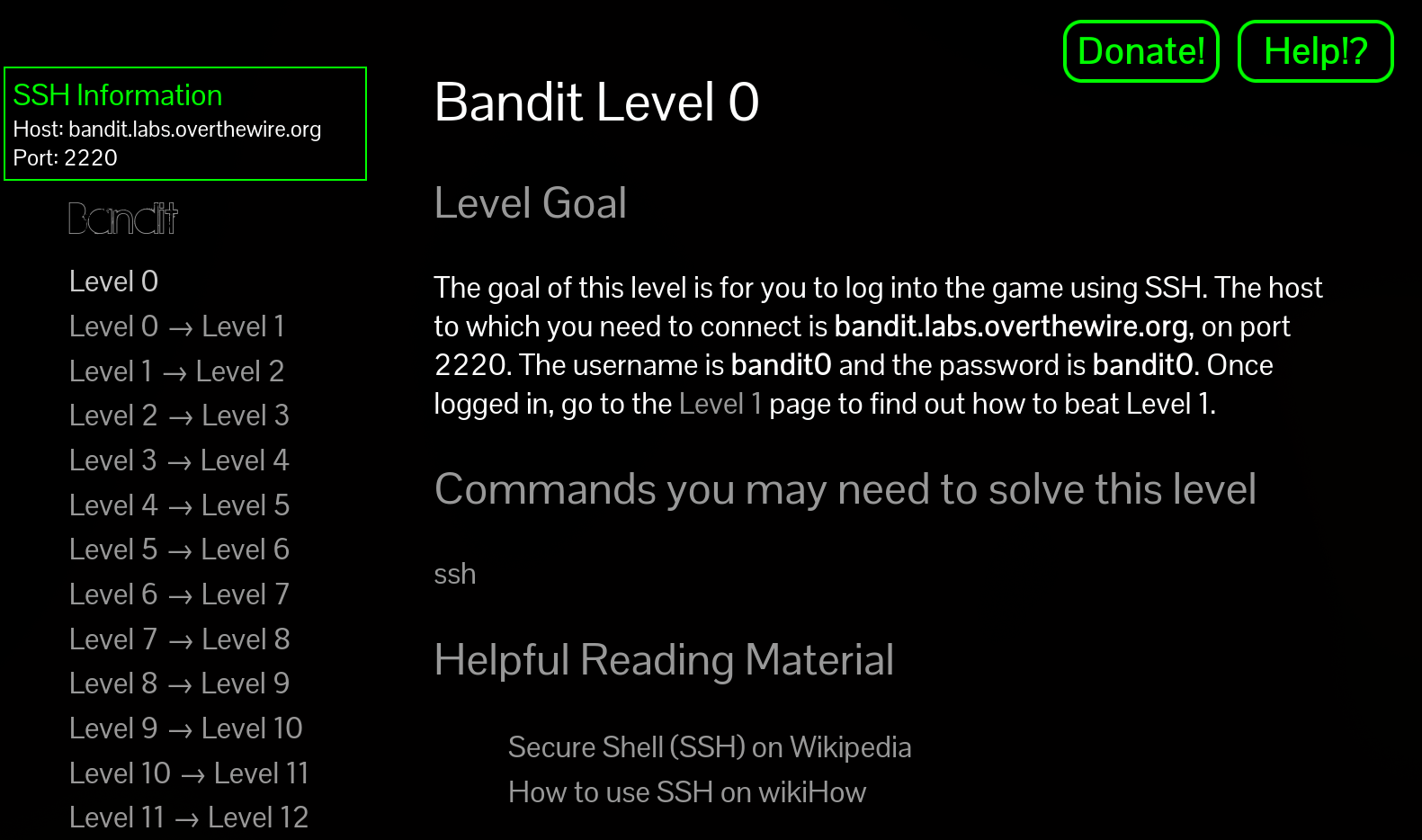 Each level of the bandit game requires you
use one or more bash commands to complete the level.
Each level of the bandit game requires you
use one or more bash commands to complete the level.
Getting started#
Open a terminal on your developer environment. All
sshcommands for the game will be done here.On Windows, use your WSL container
If working on OSX or Linux, use your default terminal
Open
lab-0/bandit-instructions.txtin your editorYou will use this file to record your progress through the lab.
The rubric for this lab is based on completing this file.
The instructions for the lab are contained in the game itself.
To start the lab, read the Note for beginners
Then proceed to Level 0
[!NOTE] if you are getting “hostname not resolved” issues in WSL, follow the steps below:
sudo vim /etc/wsl.conf , add the following:
[network]
generateResolvConf = false
sudo vim /etc/resolv.conf , add the following:
nameserver 8.8.8.8
sudo chattr -f +i /etc/resolv.conf
For more detail, see https://askubuntu.com/questions/1364984/dns-not-working-on-wsl
Extra info & Hints#
Each
levelof the game challenges you to log in to a givenuseron a linux server hosted at bandit.labs.overthewire.org.We’ll be doing this a lot when we
sshinto our raspberry pis throughout the lab.
To complete each level, you need to find the password for that user. This password is stored on a file in that
useraccount on the server.Each level, you are given Commands you may need to solve this level – the levels can be solved in many different ways, using one or more of those commands.
That is: you will never need a command that is NOT listed in the Commands section. But, you do not have to use all of them; there are many ways to solve each puzzle.
Make sure you look at the commands available to you at each step, the hints are given for good reason.
Use man
to see what the suggested command can do for you. Use Ctrl + dandCtrl + uto scroll up and down the terminal efficiently, and/to search.
Documenting your progress#
As you complete each level, write down in lab-0/bandit-instructions.txt the following:
the password needed to start the next level
the commands used to find the file
comments explaining the commands
e.g. necessary parameters/flags
[!NOTE] In each level, the password is a long string of random characters stored in a file on the server. You will need to copy and paste the password frequently – from your
bandit-instructions.txtand to your bandit game terminal.Copy/paste is a bit different on terminals than you may be used to:
Highlight the text holding
Left+clickCopy the text using
Ctrl+Shift+CPaste the text using
Ctrl+Shift+V
Follow the format in the bandit-instructions.txt file. Make sure you read and follow the
instructions given in the comments (marked by #).
As you complete the bandit-instructions.txt file, track your progress on the lab-0
branch using git commit. Before you finish working, make sure you git push your
commits to upstream lab-0 branch of this repository.
Don’t be shy: you should be committing and pushing your progress to your branch
regularly, even if it is not finished – this will let you continue where you left off
easily no matter what computer you are working on.
The rubric for this lab is based on completing this file:
100%: All levels up to and including Level 7 are documented correctly
Marks off for mistakes or missing levels.
In-class demo#
[!NOTE] Wait until you have completed, documented, committed, and pushed at least 2 or 3 steps of the bandit game before beginning these instructions.
Another good use for bash and the terminal is not just commands and remote connections
– it’s actually a great tool for documentation, too.
To get a sense for that, I want you to show me that you can use less to do the
following:
navigate through your
bandit-instructions.txtwithout needing my instructionsfind commands/passwords for a given level by searching
copy/paste information from your file to another terminal
Remember that the man command USES less by default – so if you have been using man,
you will be used to the interface. If not, practise! See TODO for more information.
You do not have to be finished the whole lab to get full marks on the demo – you just have to have done a few of the levels.